Fault diagnosis
Jamming in the same place every time.
A printer that jams repeatedly is not unlucky — it has a worn part, and where the paper stops tells you which one.
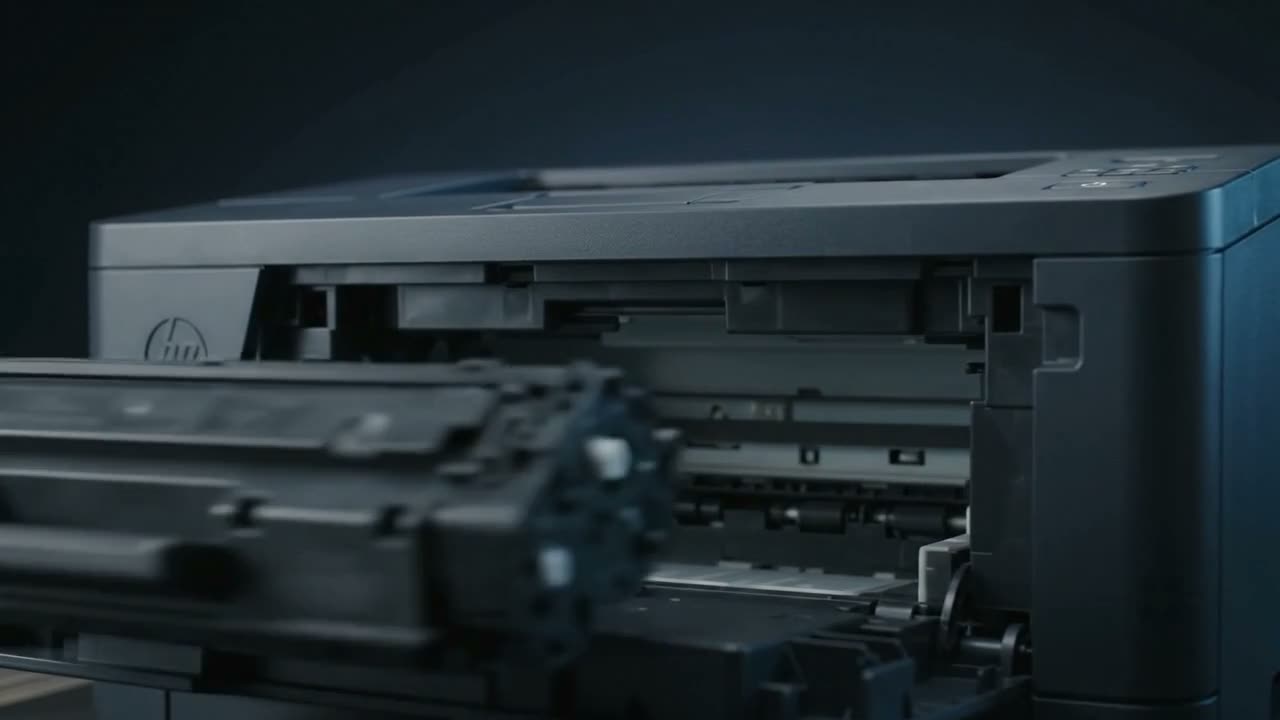
Repeated paper jams are usually a worn pickup roller or separation pad. The rubber hardens and glazes with age and paper dust, loses grip, and either fails to pull a sheet or pulls several at once. Where the paper stops identifies the part: at the tray it is pickup, mid-path it is a feed roller or an obstruction, at the exit it is the fuser.
Where it stops tells you what failed
Jams at the tray, or nothing feeds at all
The pickup roller and separation pad. This is the most common printer fault there is. The rubber glazes over with paper dust, goes hard, and stops gripping. Symptoms: "load paper" with a full tray, or several sheets pulled at once.
A hardened roller sometimes recovers briefly if wiped with a barely damp lint-free cloth to lift the glaze. That is a stopgap. Rubber that has hardened does not soften again, and the part is inexpensive — replacing it is the actual fix.
Jams part-way through
A feed roller further along, a sensor flag stuck, or something physically in the path. Torn paper from a previous jam is a very common culprit, and easy to miss because it hides under a roller.
When you clear a jam, always check you removed all of it. A strip left behind causes the next jam within minutes.
Jams at the exit, or paper wrapping the fuser
The fuser, or worn exit rollers. Paper that comes out concertinaed or wrapped around a roller points here. Never force it — the fuser is hot and its rollers are easily damaged.
Duplex jams only
If it only jams when printing double-sided, the duplex path is the issue — its rollers, or paper too heavy or too curled to make the turn.
Always pull paper in the direction of travel
Pull a jammed sheet backwards and you drag toner and paper dust back through the mechanism, and risk tearing it against the rollers. Open the machine, work out which way the paper was going, and pull it that way — slowly and evenly, with both hands where you can.
Things that are not the printer's fault
Humidity — a real factor in Chennai
Paper is hygroscopic. In a humid room it absorbs moisture, the sheets swell and stick to each other, and edges curl. Damp paper jams, misfeeds and takes toner badly.
- Keep reams sealed until you need them
- Do not leave a half-used ream open in the tray for weeks
- If a stack has been open a long time, flex it and try a fresh pack before assuming a fault
We see this often enough that it is always worth eliminating before opening a machine.
Overfilling and guides
Filling above the tray's maximum line, or leaving the side guides loose, causes skew and misfeeds. Guides should touch the stack without squeezing it.
Wrong paper for the machine
Card, labels and heavy stock all need the right tray and the right setting. Feeding heavy stock through a path not designed for it jams, and repeated attempts wear the rollers faster.
Try this before you call
- Clear the jam fully — check for torn fragments
- Remove the stack, flex it, square it, reload below the max line
- Set the side guides to touch, not squeeze
- Try a fresh ream from a sealed pack
- Note where it stops next time — that is the useful information
If it still jams in the same place, it is a worn part. That is a quick job and usually a cheap one — and worth doing before a hardened roller starts feeding pages crooked into the fuser.
Common questions
Why does my printer jam in the same place every time?
Because a specific part has worn. Consistency is the clue — a random jam is bad luck, a repeated jam at the same point is a component. Where it stops identifies which one.
My printer says there is a paper jam but there is no paper.
Usually a stuck sensor flag, or a fragment of paper left from an earlier jam holding a sensor down. Both need the machine opened and looked at properly.
Can I clean the pickup roller instead of replacing it?
Wiping the glaze off with a barely damp lint-free cloth often restores grip for a while. It is a stopgap — hardened rubber does not soften again, and the part is inexpensive.
Why does it pull two or three sheets at once?
The separation pad, which is meant to hold back all but the top sheet. When it wears, multiple sheets go through together. Damp paper sticking together causes the same symptom, so try a fresh ream first.
Does humidity really cause paper jams?
Yes, and in Chennai it is a genuine and frequent cause. Paper absorbs moisture, swells and curls, and then misfeeds. Keeping reams sealed until use eliminates a surprising number of "faults".
Tell us what it is doing.
Call and describe the make and the symptom — most jobs are done in a single visit, and we will tell you straight if it is not worth repairing.